UK Sinking Funds & Annual Bills Planner
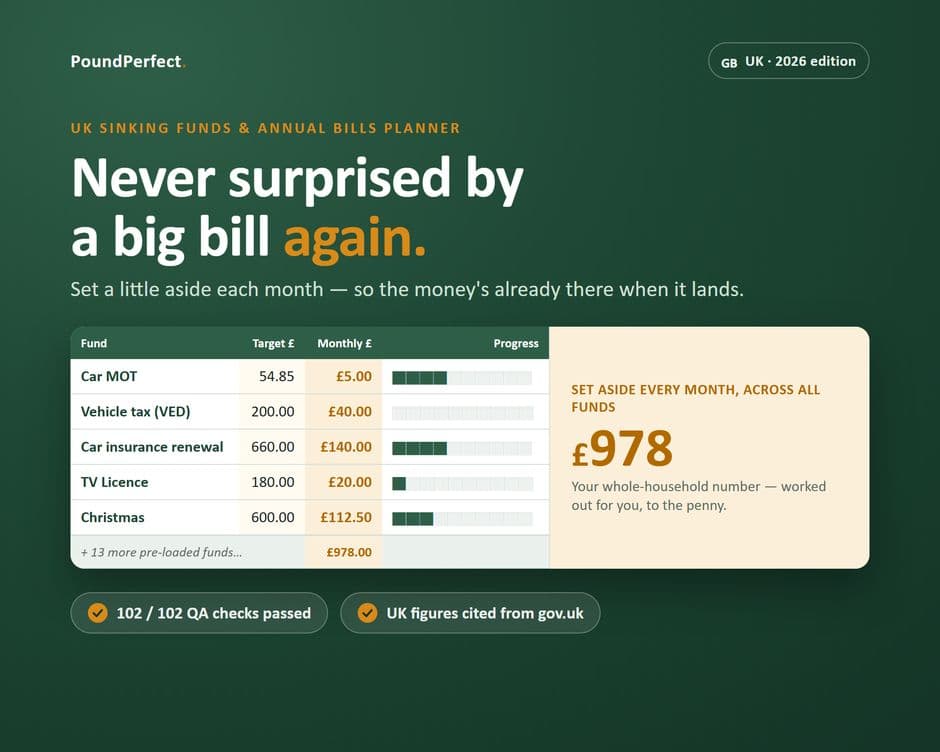
Works out exactly how much to set aside monthly for MOT, insurance, TV Licence and Christmas — no more shocks.
- Excel (.xlsx)
- Google Sheets
Who it's for: UK households who want to stop being blindsided by annual costs like the MOT, car insurance, TV Licence or Christmas.
About this template
The MOT, road tax, car insurance renewal, TV Licence, boiler service, Christmas — none of these bills arrive monthly, so they tend to land like a shock, often several in the same month. A sinking fund fixes that by setting a little aside every month so the money is already there when the bill lands, and this planner does the maths for you.
Tell it what each bill costs, when it's due, and what you've saved so far, and it:
- Works out exactly how much to put away each month to be ready in time
- Fills a progress bar for every fund and every month
- Totals your whole household's monthly set-aside figure
- Shows an Annual Bills Calendar of which months are expensive and which are breathers
- Comes pre-loaded with UK costs people forget — MOT, road tax, insurance, TV Licence, boiler cover, pet insurance, passport renewal — which you can rename, add or delete
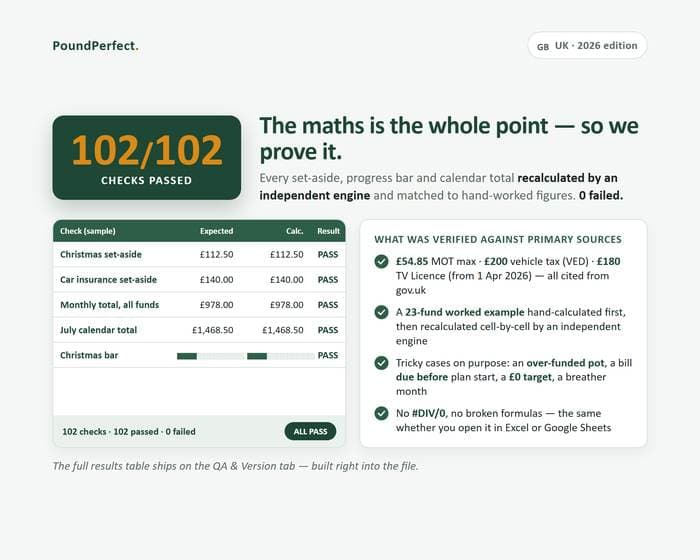
National guide figures for MOT, road tax and the TV Licence are cited from gov.uk rather than guessed. The engine was checked against a 23-fund worked example, hand-calculated then independently re-checked cell by cell: 102 out of 102 checks passed, shown on a QA & Version tab inside the file.
This is a self-directed budgeting tool, not financial advice — it doesn't give personalised recommendations or manage money for you.
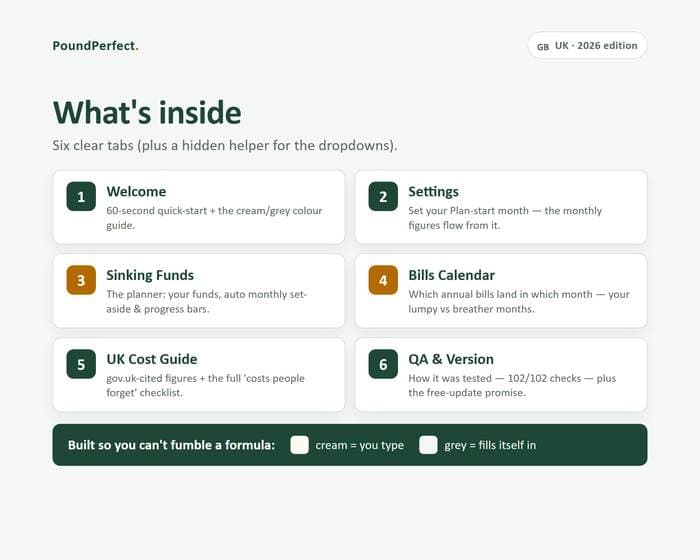
What's inside
- Sinking Funds planner: monthly set-aside per fund, calculated for you
- Progress bars on every fund and every month
- Annual Bills Calendar showing which lumpy months are covered
- UK Cost Guide with cited MOT, VED and TV Licence figures
- Pre-loaded list of costs people forget (pet insurance, passport, boiler cover)
- QA & Version tab (102/102 checks)
Ready to download?
Get it on Etsy — £9.99General information, not tax or financial advice. Always confirm your own position with HMRC or a qualified adviser. Created with AI assistance under the owner's direction; every formula is human-verified against a worked example, with a QA sheet included in the download.