January Money Reset Bundle — Budget, Bill Calendar & Sinking Funds
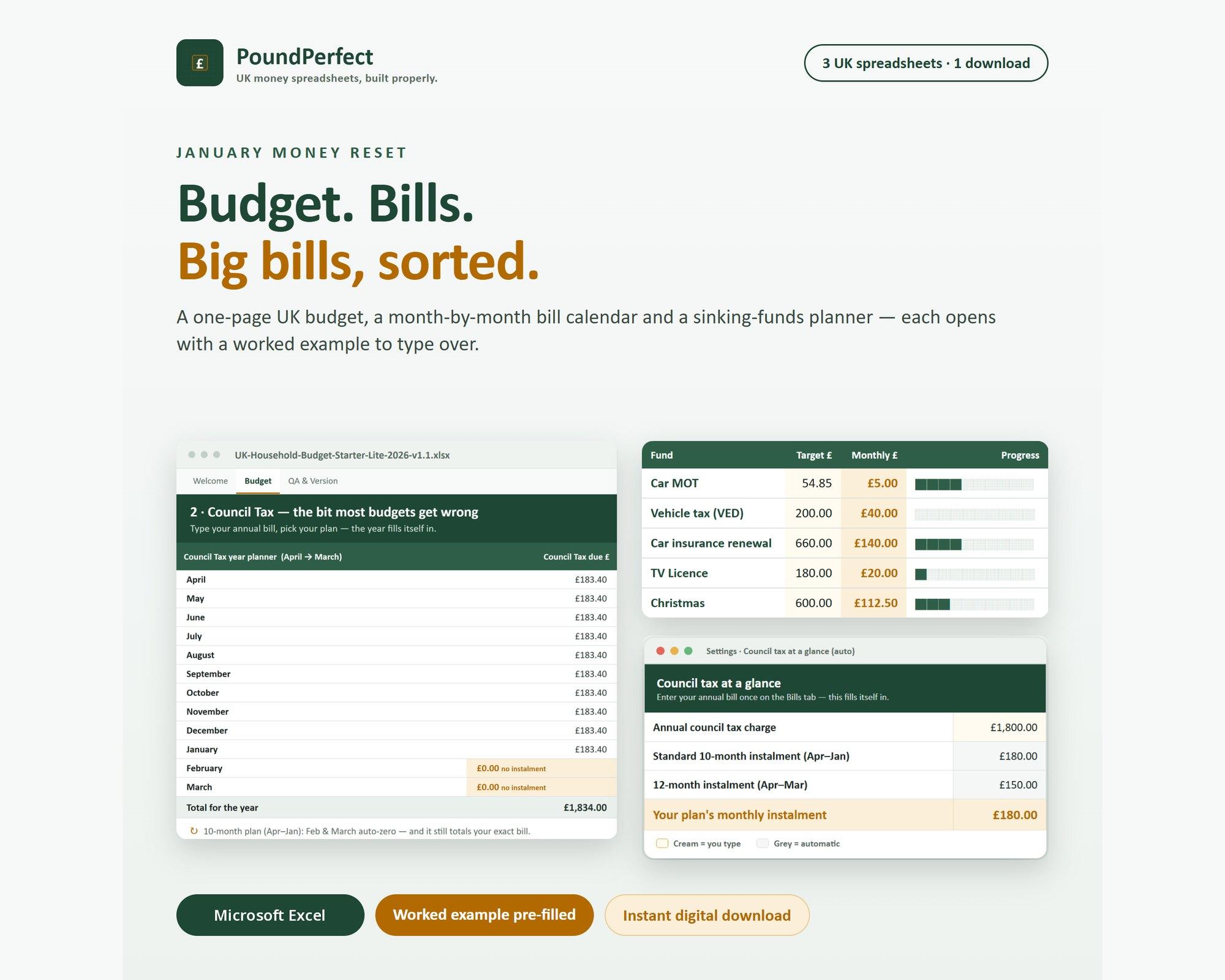
Three UK money spreadsheets that work together for a fresh start in January: a one-page budget, a month-by-month bill calendar and a sinking-funds planner for the big annual bills.
- Excel (.xlsx) × 3
- Start-here PDF guide
Secure checkout on Etsy; Etsy delivers the download once payment clears. Every formula checked against a worked example — the QA sheet ships inside.
Who it's for: UK households who want a simple January reset: see the monthly picture, see when every bill leaves, and plan for the big annual costs before they land.
About this template
A simple January money reset for UK households: three spreadsheets that work together, plus a short start-here guide.
- A one-page monthly budget, with 4-weekly pay converted to a true monthly figure and Council Tax on a 10- or 12-month plan
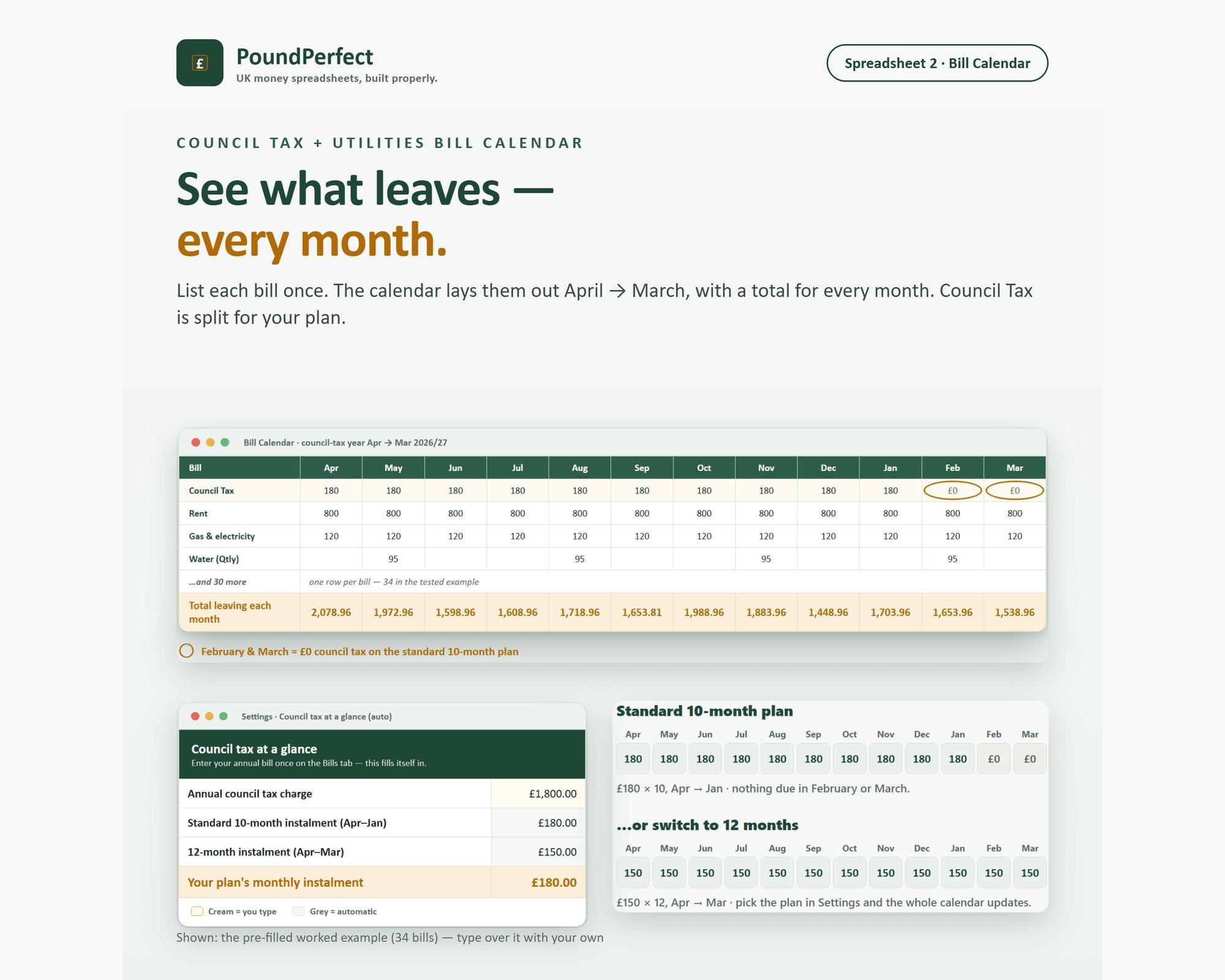
- A month-by-month bill calendar for 2026/27, so you can see when every bill leaves
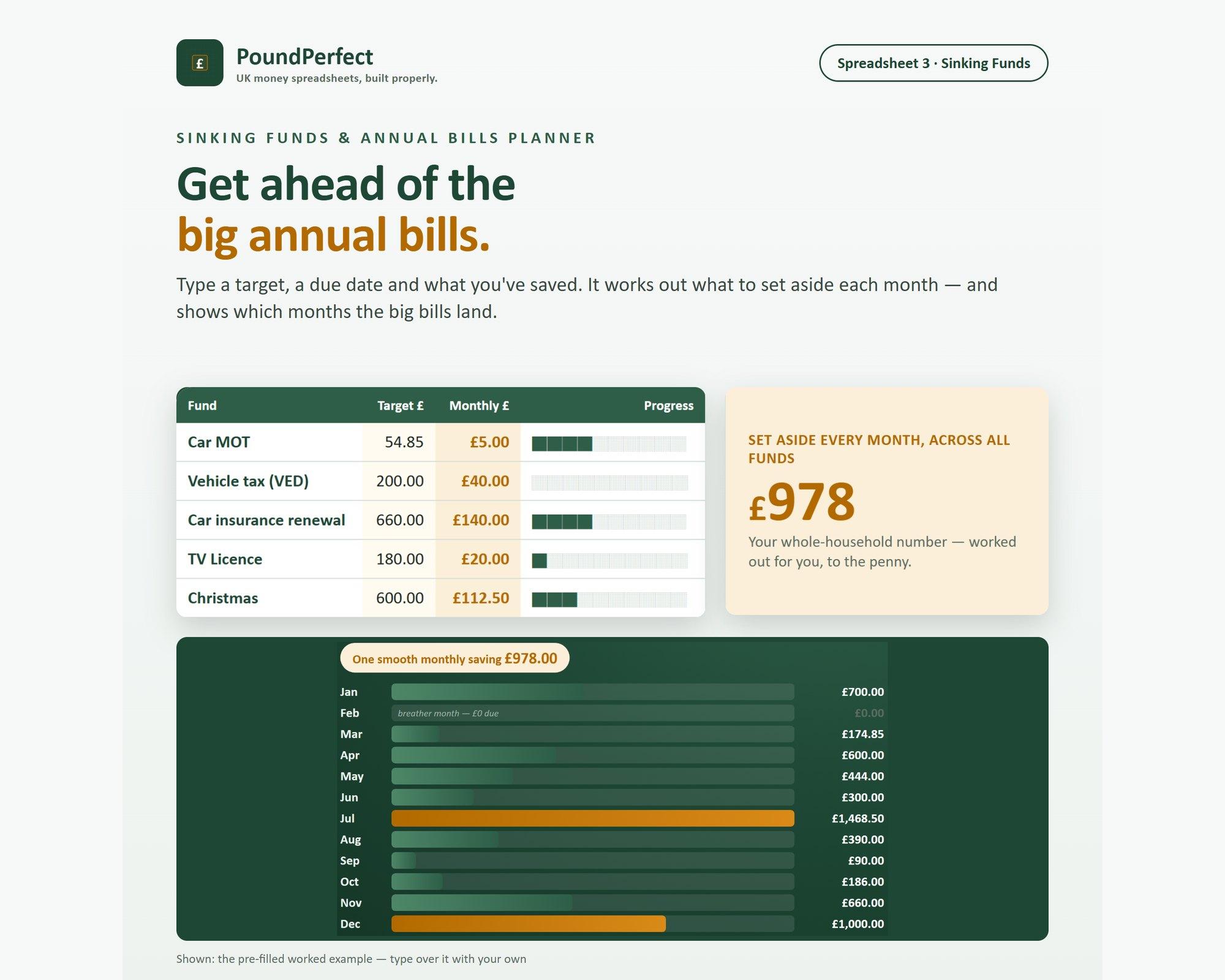
- A sinking-funds planner for the big annual bills, pre-loaded with the costs people forget
Every file opens with a worked example already filled in, so you can see how it works straight away. Type over the example numbers with your own. Built for Microsoft Excel (desktop or Microsoft 365); no macros or add-ins.
This is a self-directed budgeting tool, not financial advice.
What's inside
- Household Budget Starter (Lite): take-home pay (monthly or 4-weekly), Council Tax 10- or 12-month plan, 14 everyday categories, planned vs actual
- Council Tax + Utilities Bill Calendar 2026/27: list each bill once and see every month April to March, with totals and your most and least expensive months
- Sinking Funds & Annual Bills Planner: MOT, road tax, insurance, TV Licence, Christmas and more, with a monthly set-aside figure per fund
- A 3-page start-here PDF: the order to use the files and how to replace the worked example with your own numbers
- QA & Version tab inside each spreadsheet
Ready to download?
Get it on Etsy (opens in a new tab)General information, not tax or financial advice. Always confirm your own position with HMRC or a qualified adviser. Created with AI assistance under the owner's direction; every formula is human-verified against a worked example, with a QA sheet included in the download.